Exam Mechanics in Cheat During The Test
Timer, Version A/B sheets, pencil Anxiety recovery, submission, grades, and Credits — how the test actually runs.
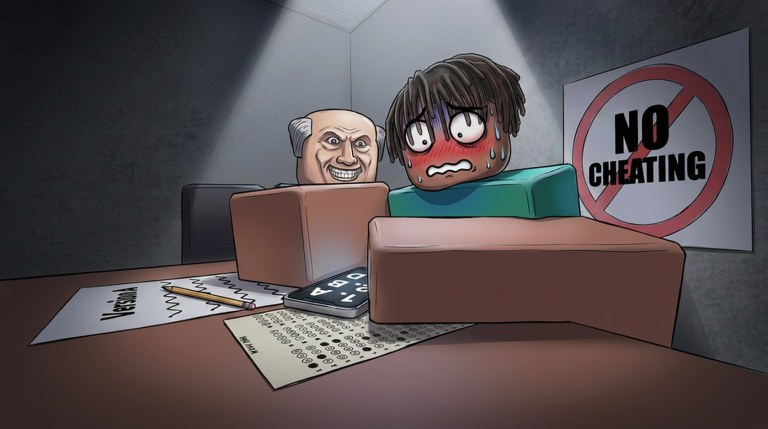
The test is the whole game
Cheat During The Test (Roblox listing: Cheating During Testing by @ebenxzy) is a timed classroom exam wrapped in social stealth. Everything else — Phones, Snitches, passes, codes — only matters because it changes how you survive this loop. This page is the systems deep dive: what the timer does, how R opens your sheet, why Version A/B exists, how the pencil fights Anxiety, what happens at submission, and how letter grades turn into Credits.
If you are brand new, skim Getting started first, then return here. If you already fail runs without knowing why, stay on this page until the Assessment Complete screen feels predictable.
Join, seat, and start the paper
Servers commonly host around 22 players. BETA has been live since February 22, 2026, and by November 2026 the experience sat near ~103M visits with roughly ~1.6M favorites. Crowded rooms mean more eyes on your screen and more teacher path variety after V2’s extra classrooms.
When the exam begins:
- Sit at a desk (or use Pick Your Seat Forever if you own it).
- Press R to open your answer sheet as soon as the UI allows.
- Read the printed Version A or Version B letter before you mark anything.
- Note the timer position so you never “discover” it at 0:30.
Skipping the version letter is the fastest way to turn a good Phone scan into a free F. Neighbors can share letters only when versions match — details in the Phone trick and Players Hub.
Timer pressure without panic
The timer is not flavor. An unfinished paper pays worse than a submitted mediocre grade, and a catch mid-scan can erase the whole attempt. Practical rules players use in live BETA:
- Spend the first moments watching the teacher, not filling bubbles.
- Budget Phone windows so the last 20–30 seconds are for review and submit, not a first photograph.
- If you are behind, submit a mostly All-A sheet rather than holding the Phone into a bad facing.
Perfect-score routing in How to get 100 assumes you already respect the clock. Exam mechanics punish greed more than ignorance.
Version A vs Version B
Every sheet carries a version. Answers differ between A and B. That design kills global “answer key” pastebins and forces you to photograph your paper. Smart Glasses help you peek at the teacher; they do not rewrite version math. Friends who refuse to confirm letters are either careless or bait — treat them as risk, not free grades.
After V2’s room expansion, you may sit next to classmates whose desks look identical while their papers disagree. Always re-check after a requeue.
Pencil, Anxiety, and looking “normal”
Anxiety rises when you look around, linger on gadgets, or stretch a suspicious hold. Facing forward and using the pencil lowers it. At 100% Anxiety the teacher can lock onto you even if you think your Phone was “almost done.”
Exam mechanics therefore include recovery as a first-class action:
- Holster early.
- Face the desk.
- Pencil until the meter drops.
- Only then take another window.
Full meter behavior and Snitch overlap live in Anxiety & Snitches. Detection windows and body blocks live in Avoid getting caught.
Some community write-ups also mention a Hunger side meter and snacks. The current Roblox blurb and most live HUDs emphasize Anxiety. If your client shows Hunger, treat snacks as QoL; if it does not, do not invent a second fail state. Honest notes: Hunger.
Mid-guide video
Watch the walkthrough below for a live look at sheet handling, teacher pressure, and how a clean exam flow feels in a real classroom session.
Photographing answers (mechanics, not the full trick)
The Phone photographs your sheet and returns correct choices, typically skipping answers that are already right. That is why All-A prep still dominates high-level play — fewer corrections means less glow time. Community notes often cite Q (or an on-screen Phone control) for the photo action; prompts can shift in BETA, so trust the live binding over a fixed keymap. Full method: Phone trick. Full control notes: Controls.
Important honesty for late 2026: some August/September comments claim All-A pre-marking behavior was patched or softened. The method remains the primary route discussed by skilled players, but you must verify skip behavior in the live client before you stake a perfect-score run on it.
Submission and Assessment Complete
When you finish marking — or when the timer forces your hand — submit the paper. The game resolves your grade and shows an Assessment Complete style results flow. That screen is where letter performance becomes economy:
- Higher grades → more Credits
- Cleaner runs → better Shop options next join
- Caught / failed attempts → weaker payouts and wasted windows
Do not leave the results unread. Confirm what you earned so you know whether your next purchase should be Phone speed, snacks, or a Robux pass. Economy planning continues in Credits farming.
Grades, Credits, and Cheater Rating
Credits are the soft currency for Phone tiers and many gadgets. Grades are the main faucet. Codes (after V2) are a boost, not a replacement — see Codes Hub.
Some players also track a Cheater Rating / prestige-style feel from strong stealth grades (community language varies by patch UI). Treat any rating label as feedback on how cleanly you cheated, not as a substitute for Credits. If the live HUD renames the stat, the principle stays: quieter, higher-quality sheets progress you faster than loud F-tier spam.
How V2 changed the exam space
The October 2026 V2 window (roughly Oct 11–25) added two teachers, three classrooms, an ISS room, a codes feature, inventory save messaging rework, answer-paper progress save, and R6 avatars. After the timed event window, those systems largely remain. Mechanically that means:
- More supervisors and sightlines to relearn
- Possible ISS detours if you get pulled from the main exam rhythm
- Paper progress between sessions if the feature is active on your client
- Same Version A/B + timer core underneath the new furniture
Patch context: V2 update and November 2026 status.
Failure modes that look like “bugs”
- Wrong version copy from a neighbor
- Phone hold across a facing turn
- Anxiety lock-on after rubbernecking
- Snitch report while your screen faces the aisle
- Submitting zero because you chased one last correction
Most of these are mechanics working as designed. Fix the loop before blaming RNG.
Practice drill
Run one exam with a single goal: open with R, read version, All-A baseline, one short photo window, pencil recovery, submit before panic. Ignore Ultimate Cheater fantasies until Assessment Complete feels boring. Boring means you understand the machine.
Related pages
Master the exam loop and every upgrade suddenly has a job. Skip the loop and you are just decorating a failing desk.
Frequently Asked Questions
Quick answers about exams, Credits, gadgets, and teacher timing.
How do I open the answer sheet in Cheat During The Test?
Press R once you are seated and the exam allows sheet access. Confirm Version A or B immediately.
What does the pencil do?
Facing forward and using the pencil lowers Anxiety so the teacher is less likely to lock onto you at 100%.
Do Version A and Version B share answers?
No. Answers differ by version. Always photograph and trust your own paper.
How do grades become Credits?
After submission / Assessment Complete, higher letter grades generally pay more Credits for Shop upgrades.
Did V2 change exam mechanics permanently?
V2 added teachers, rooms, ISS, codes, and save systems that largely remained after the October event window. The timed MC exam core still drives the loop.
Is All-A still reliable?
It is still the primary method players discuss, but some patch comments claim pre-marking behavior changed — verify skip logic in the live build.